
Who changed this number? Activity in Instead

The agent prepares the return. You review it. Before you sign off on a number, you want to know who put it there and where it came from. Activity in Instead shows you.
Short answer: Activity in Instead shows who made each change to a tax return. A change made by a person shows their name, and a change made by the agent shows Agent. When a field is tied to a source document, Activity shows the file, and clicking it opens the document so you can check the number yourself.
Why reviewers ask who changed a number
A return passes through many hands. The agent fills forms from client documents. A preparer adjusts a line. A reviewer checks the totals. When a number looks off, the first question is simple. Who changed it, and where did it come from?
Activity in Instead answers that question inside the return, so you can see who made each change.
How to open Activity on a tax return
Open a client's return on the Tax returns tab. Click Activity in the return header. The Activity panel opens beside the return.
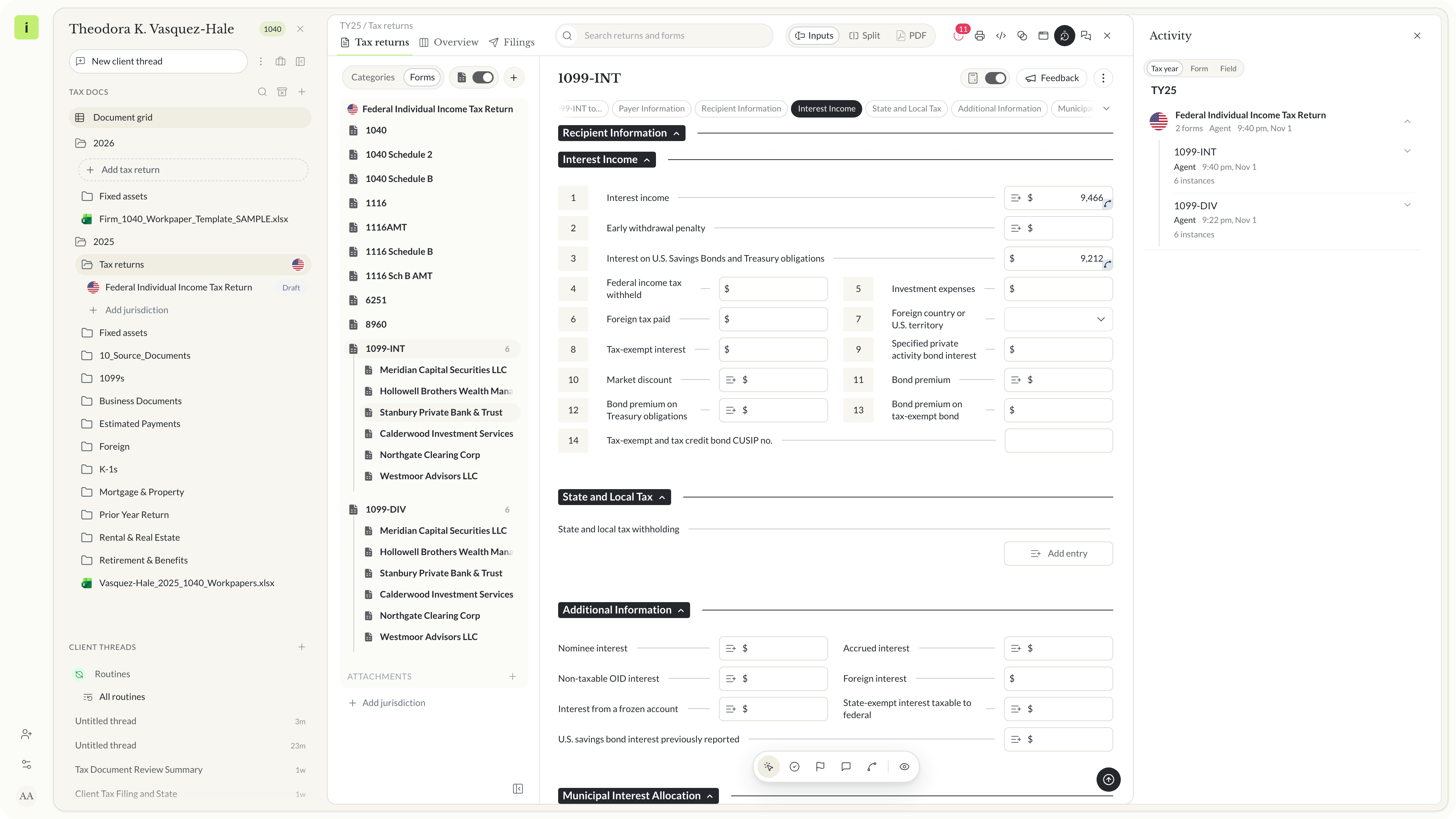 The Activity panel open beside the return, on the Tax year tab
Who made each change in Activity
An entry shows who made the change and when.
A person on your team
A change made by a person shows their name. Your own changes show your name too.
The agent
A change made by the agent shows Agent. The agent prepares the return, and its work is yours to review. Activity shows you which entries came from it.
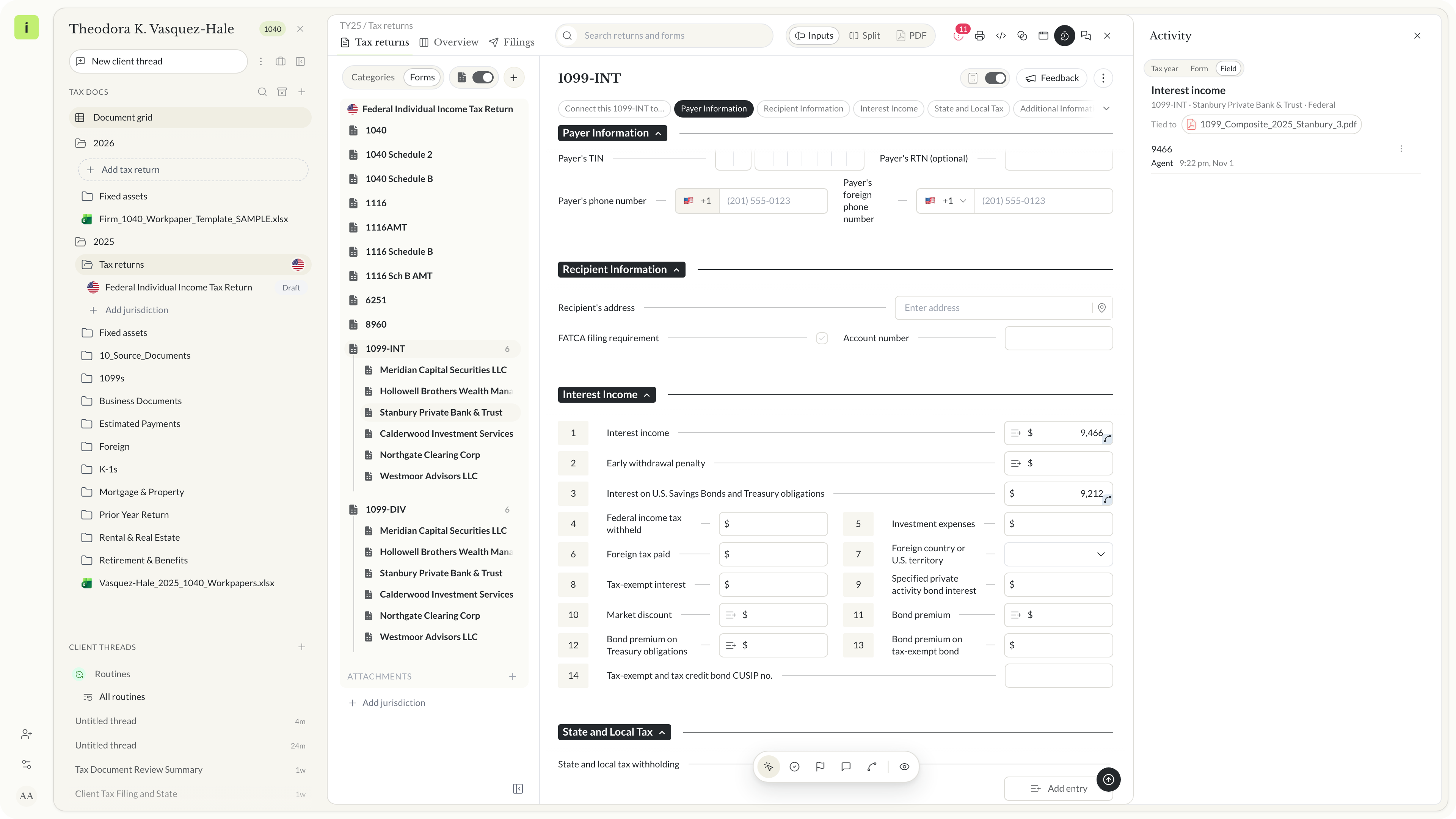 The Field tab. The entry shows who made the change and when
The source document behind a field
When a field is tied to a source document, Activity shows Tied to and the file name under the field, with the file's icon. Click the file and the document opens beside the return.
That is the step that builds trust. You do not have to take a number on faith. You open the W-2, the 1099 or the K-1 it came from and check it yourself.
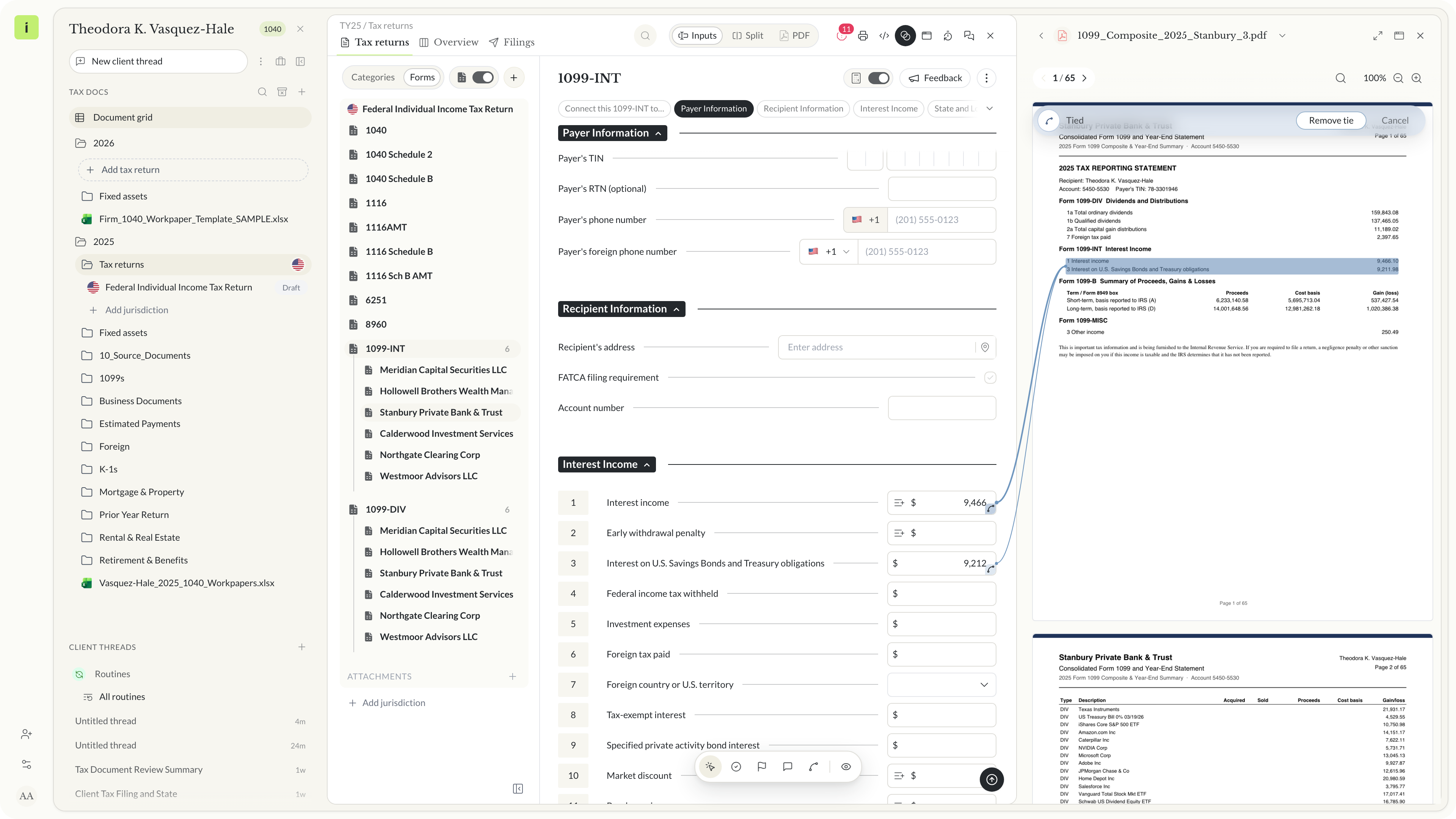 Click the file and the source document opens beside the return
Trust the number or change it
If the number matches the document, move on. If it does not, change it. Your change shows your name in Activity, so anyone who opens the field later sees who made it.
Activity for a return, a form or one field
Activity has three tabs. Tax year covers the returns for the year, grouped by return. Form covers one form, field by field. Field covers one field, newest change first. Click a field on the Form tab to open it on the Field tab.
Ways firms can use Activity in review
These are ideas you can try in your own review process.
1040 returns
Open the wages field and check that it is tied to the W-2. Open the file and compare it with the box on the form.
Partnership and S corporation income
When a K-1 line looks off, open its Activity to see whether the agent or a preparer entered it, and open the K-1 it is tied to.
Business returns
On the Tax year tab, see which forms changed on a return and who made the latest change before you start the review.
Handing a return to a reviewer
A reviewer can open a field and see whether a person or the agent made the last change, without asking the preparer.
What to ask before you commit to an AI agent that edits tax returns
Questions to ask before you commit:
- Can you see which changes the agent made and which a person made?
- Can you open the source document behind a number from inside the return?
- Does your own change show your name to the rest of the team?
- Can you look at one field, one form or the whole return?
- Is the agent's work presented as work for you to review?
See who made each change before you sign off
Activity is part of the Instead AI tax platform. Read the Activity white paper for the full walkthrough, or start your trial at instead.com.
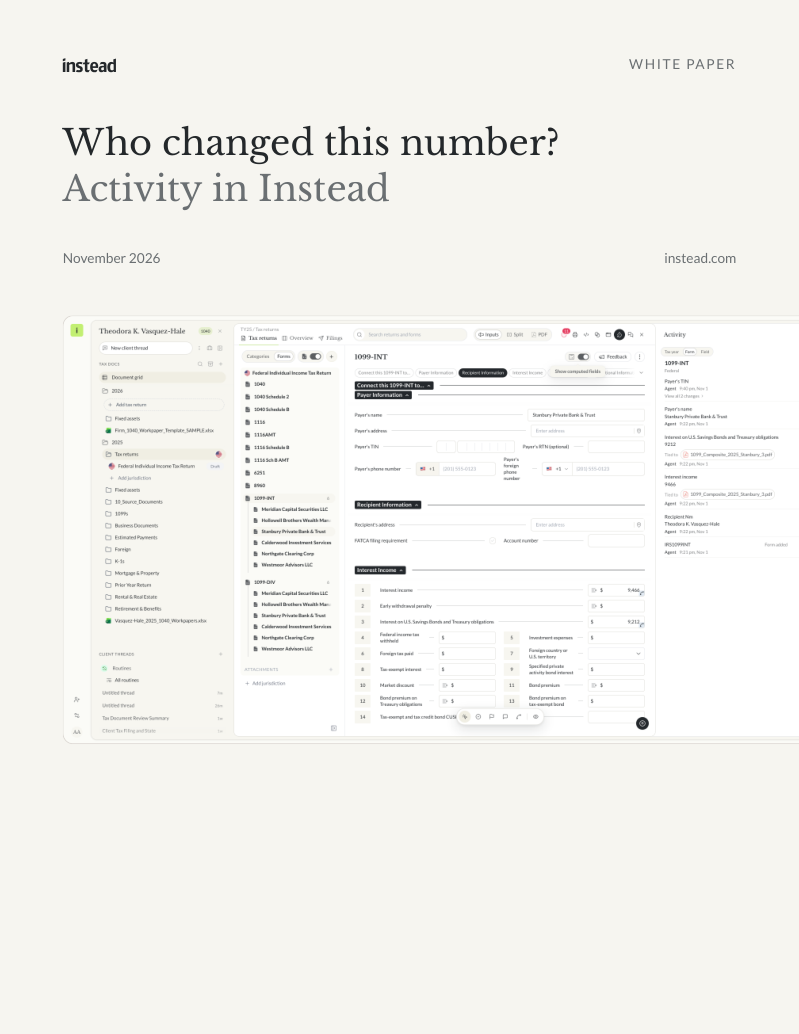
Free white paper
Who changed this number?
How Activity in Instead shows who made each change and the source document behind a field
Where to open Activity, who each change shows, how a tied field opens its source document and ways to use it by practice area. Free PDF.
Download the white paperFrequently asked questions
Q: Where do I find Activity in Instead?
A: Open a client's return on the Tax returns tab and click Activity in the return header. The Activity panel opens beside the return. It has three tabs, Tax year, Form and Field, so you can see changes for the whole return, for one form or for one field.
Q: How does Activity show changes the agent made?
A: When the agent changes a field while it prepares a return, that change shows Agent in Activity. A change made by a person on your team shows their name. You can see at a glance which entries came from the agent, so you know which parts of the return to review.
Q: Can I open the source document behind a number?
A: Yes, when the field is tied to a source document. Activity shows Tied to and the file name under the field. Click the file and the document opens beside the return, so you can check the number against the page it came from before you rely on it.
Q: What happens when I change a number myself?
A: Activity records your change. Open the field's Activity and the newest entry shows your name and the time. Anyone on your team who opens that field later sees that you made the change, so the return carries a clear record of who touched it.
Q: Does Activity replace reviewing the agent's work?
A: No. Activity helps you review. The agent prepares the return, and its work is yours to check. Activity tells you who made each change and, for tied fields, which document a number came from. You still decide whether a number is right and sign off on the return yourself.

Instead remembers every client

How to build custom workflows for your tax firm with an AI agent


Ask any question across all your clients


